Photos with no story
80 pictures in your camera roll and no note about which unit or when.
RoomQuill turns a phone walkthrough into a clean, timestamped condition report — room by room, with photos, notes and a side-by-side comparison to the last inspection. Start for $2 a day. Cancel any day.
No contract, no setup fee. Cancel from your dashboard in one click.
Walls clean and freshly painted. Laminate intact, no visible marks.
Light scuffing on the counter edge by the sink. Cabinets align and close.
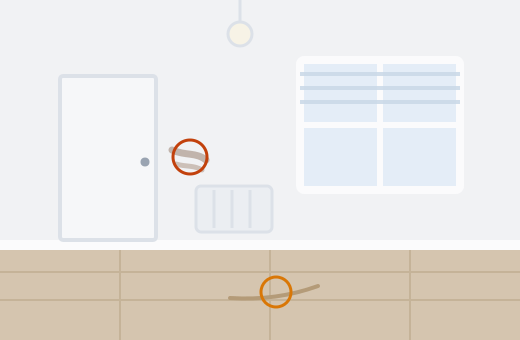
Cracked tile below the towel rail, roughly 6 cm. Two angles on file.
Left: the walkthrough on your phone. Behind it: the report it becomes.
Over 41,000 rooms documented





Eight months after move-in, the only thing that settles an argument is a photo with a date on it.
80 pictures in your camera roll and no note about which unit or when.
Was that scuff there in March? Nobody can prove it either way.
Sorting photos into a document is an hour of work per unit.
Everything happens while you are standing in the room. The paperwork is finished by the time you lock the door.
A room-by-room checklist built from your unit layout, so nothing gets skipped.
Dictate or snap; RoomQuill writes clear, neutral descriptions of what's in the photo.
Every photo carries a capture date and unit reference that can't be edited after the fact.
Put the two reports side by side and see exactly what changed.
Your name, your logo, your terms, ready to send or file.
The tenant reviews the report on their phone and signs, or adds their own comments.
Set the unit up once. Every inspection after that reuses it.
Add the address and rooms once. Reuse it for every future inspection.
Photograph each room and dictate what you see. RoomQuill sorts and writes it up.
The tenant reviews and signs. The report is filed and searchable forever.

A turnover this weekend? Take the Day Pass. Managing units year-round? The 28-day plans cost far less per report.
$2 / day
Billed daily. Renews every 24 hours until you cancel.
Best for: landlords with a single turnover to document.
$45 / every 28 days
Billed every 28 days. Renews automatically until you cancel.
Best for: owners running 2 to 20 units.
$170 / every 28 days
Billed every 28 days. Renews automatically until you cancel.
Best for: property managers and multi-building portfolios.
Day Pass = $2 for up to 2 reports. Landlord works out to roughly $1.50 per report.
All prices in USD and exclude any applicable taxes. Switch plans or cancel at any time from your dashboard. Unused report credits do not roll over.
Three landlords, three portfolios, three arguments that never happened.
“Move-out went from an argument to a two-minute conversation — the March report settled it.”
“September turnover used to eat a whole weekend. Eleven student rooms documented in one afternoon.”
“The tenant signed the report on the spot and added two notes of her own. Nothing left to remember wrong.”
Billing, evidence and what RoomQuill does not do.
It's a daily subscription. You're charged $2 every 24 hours and it renews until you cancel. Cancel any time and you keep access until the paid day ends.
One condition report for one unit, including edits and re-sends of that same report.
No. They open a link, review the report, add comments if they want, and sign in the browser.
Yes. Existing reports stay viewable and exportable on every plan, including the Day Pass.
No. It documents condition with dates and photos. Any decision about charges, deposits or deductions is yours and is governed by your local tenancy law.
No. Daily allowances reset every 24 hours; 28-day allowances reset each billing period.
One click in your dashboard. No phone call, no cancellation fee.
Document your next turnover for the price of a coffee, and keep the report for as long as the unit exists.
Start for $2/day